What should an organizer do to clean up the registration list in the week before doors open?
Most check-in disasters start in the spreadsheet, not at the desk. Here is the cleanup pass we run on an attendee list in the final week, and what to freeze versus leave open.

The mess is already in your list, you just have not looked at it yet
Every registration list we have ever imported has the same handful of problems, and none of them are the organizer's fault. They accumulate. Someone registers with a work email in March, forgets, and registers again with a personal address in July. A sponsor buys ten passes and fills in one real name and nine placeholders like "TBD 2" or "Guest." A test registration from the day the form went live is still sitting in row four with the name "asdf." A refunded ticket never got removed because the refund happened in the payment tool and nobody told the registration tool.
None of these matter until 8:40 on event morning, when a real person is standing at the desk and the search returns two records with their name, or zero. That is the worst possible moment to make a judgment call, because there is a line behind them and your volunteer has been on the job for forty minutes. The whole point of a cleanup pass is to move every one of those decisions from the desk to a quiet room a week earlier, where you can check with a colleague and nobody is waiting. Related: How can a large event run multiple check-in stations at once without checking anyone in twice?
Keep reading: How can event organizers speed up the check-in line during the busy first hour of a conference?, What are the benefits of printing event badges on site instead of pre printing them all in advance?, How do organizers track session capacity so a popular conference talk does not become overcrowded?. See how BadgeCheckr helps you event attendee badge check-in and scanning.
Five passes that catch almost everything
Work in order, and do each pass across the whole list rather than fixing records one at a time. First, kill the obvious junk: test registrations, records with no email, names that are clearly keyboard mashing. Second, find duplicates twice, once by email and once by first name plus last name, because the two searches catch different people. Merge toward the record that holds the paid ticket and keep the other one flagged rather than deleted, so a scan of an old confirmation still resolves to something. Third, normalize names: fix ALL CAPS entries, fix lowercase entries, and leave unusual capitalization alone because names like McAllister and de Vries are correct as typed.
Fourth, reconcile against payments. Pull the list of refunds, chargebacks, and cancellations and make sure every one of those has actually been removed or marked as cancelled in the registration data. Fifth, check the fields that end up on the badge or drive access, usually company, ticket type, and any session or dietary flags. Blank company on a badge looks unfinished, and a blank or wrong ticket type is how a general attendee ends up with an all access wristband. Sort by each of those columns and scan the top and bottom of the sort, where the weird values live.
Freeze the list, then decide what is allowed to change after the freeze
Pick a moment, typically twenty four to forty eight hours before doors, when the list you will run the event on is final. Everything before that is editable in your registration system. Everything after that gets handled as an exception at the desk. Announcing that cutoff internally is more important than where exactly you put it, because the failure mode is not a late edit, it is a late edit that only one person knows about while the desk is running on an older copy of the data. Related: How should an event handle walk-up attendees who never registered before arriving at the door?
Then write down the three or four changes you will still accept after the freeze, and who can make them. Name corrections: yes, anyone at the desk, print a replacement. Ticket upgrades: yes, but only the registration lead touches those. Adding a brand new attendee: yes, through the walk-up flow, not by editing the master list mid-morning. New group bookings from a sponsor: no, they become walk-ups. If your check-in tool syncs live from the registration platform, decide whether you actually want that sync running during the busiest hour or whether a stable snapshot is safer. Both answers are defensible, but pick one on purpose. Related: How can event organizers speed up the check-in line during the busy first hour of a conference?
Test the clean list against the actual hardware, not against your imagination
A list that looks perfect in a spreadsheet can still fail at the desk. Import it into the check-in tool you will actually use, then run twenty or thirty realistic lookups: a hyphenated last name, a name with an accent, a very common surname, someone who registered under a nickname, a sponsor placeholder, a duplicate you merged. Search the way a stressed volunteer will search, which is usually three letters of the last name, not the full email address. If any of those take more than a couple of seconds or return something confusing, that is a data problem, not a training problem.
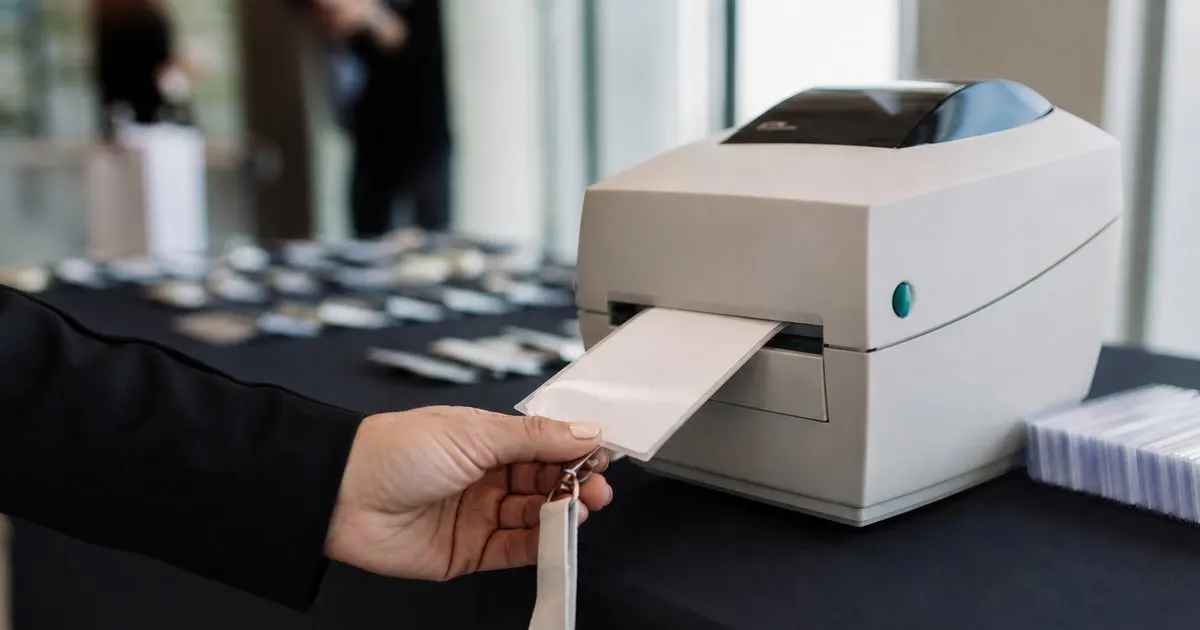
Then print real badges from real records, including the longest name and the longest company name on the list, and look at them on the physical badge stock. Long values are where layouts break, and finding that out in a quiet room costs you ten minutes while finding it out at 8:30 costs you the morning. Keep a copy of the frozen list somewhere offline as well, exported to a file that opens without a network connection. You will almost certainly never need it, and the one time you do, it is the difference between a slow check-in and no check-in at all. Related: What are the benefits of printing event badges on site instead of pre printing them all in advance?
- Run duplicate detection twice, once by email and once by name, because each search misses people the other one catches.
- Reconcile the registration list against refunds and cancellations, since those usually happen in a separate payment tool.
- Set a data freeze a day or two before doors and name the few exceptions still allowed after it, plus who may make them.
- Test the cleaned list on the real check-in hardware with awkward names and long company values before event morning.

Julien Jimenez
Julien Jimenez is an independent software builder based in Paris. He designs, ships, and operates focused SaaS products for small businesses and independent professionals. Read the full author page.
A check-in line that moves
Event attendee badge check-in and scanning. BadgeCheckr is built to help you put this into practice.
Set up check-inMore from the BadgeCheckr blog


Get the BadgeCheckr playbook
Practical guides on event check-in, straight to your inbox as we publish them. No spam, unsubscribe any time.