How can event organizers speed up the check-in line during the busy first hour of a conference?
Turning the front table into a fast lane so the morning rush does not sour the whole event.
Check in attendees, scan and print badges, and watch arrivals and session capacity update as your doors open.
No credit card required to start. Cancel anytime.
Fall conference season begins. September starts the busiest stretch of the US conference calendar. If popular sessions overflowed last year, put capacity scanning at the room door this time.
Track session capacityFor a multi-room conference with several doors. Multiple stations, On site badge printing, Session capacity.
Doors open, a line forms, and your team is flipping through printed lists trying to find names while badges sit unsorted in boxes. A slow start puts attendees in a bad mood before the first session and leaves you with no real count of who actually showed up.
BadgeCheckr turns the front table into a fast lane. Search a name or scan a code, confirm the attendee, and print a badge on the spot. A live dashboard shows arrivals and session capacity so you can staff the doors and rooms based on what is really happening.
BadgeCheckr stays focused and does this one job extremely well.
Find an attendee by typing a few letters of their name or by scanning a code from their confirmation. Check-in takes seconds.
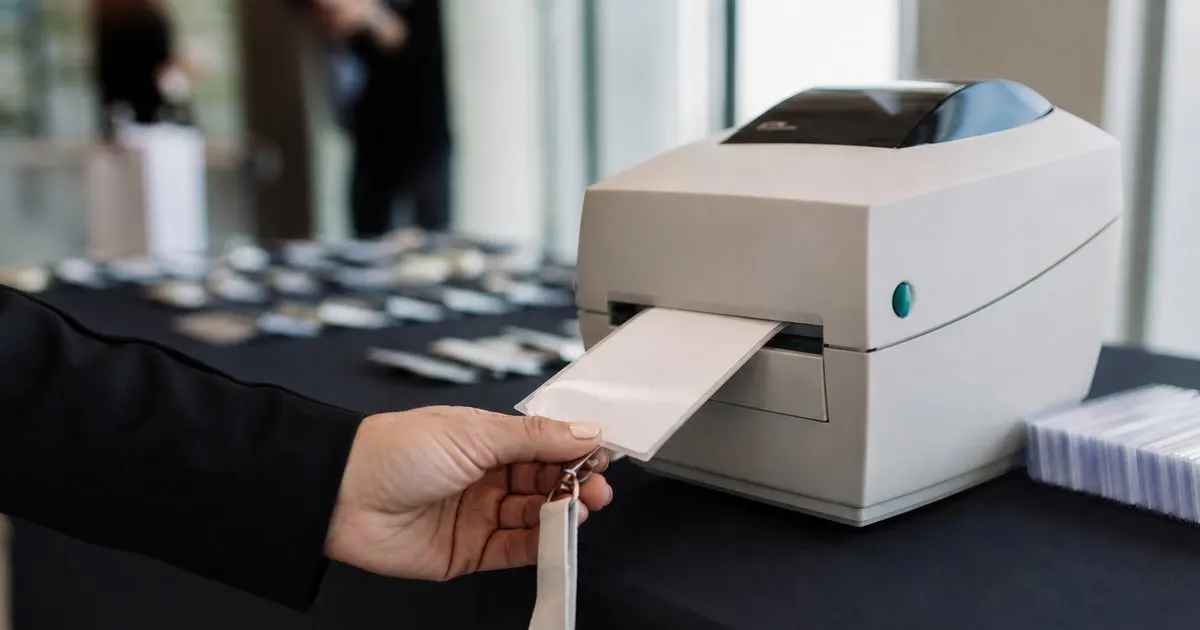
Print a clean badge the moment an attendee checks in, so there is no pre-sorting boxes or hunting for a missing name tag.
See how many people have arrived and how quickly, so you can add a station when a rush builds and relax when it eases.
Track how full each session or room is getting and stop overcrowding a popular talk before it becomes a safety issue.
Run several tablets at once and they all stay in sync, so two attendees are never checked in twice at different doors.
Add a walk-up attendee at the door and print their badge on the spot, so late sign-ups do not jam the line.
Three steps from sign up to real value.
Bring in your attendee list and badge details before the event so every name is ready to find.
Set up one or more tablets at the door. Staff search or scan, confirm, and print in a few seconds each.
Follow arrivals and session capacity on the dashboard and move staff to wherever the crowd is building.
Start small and grow when you are ready. No ads, no reselling your data, no surprises.
Every plan includes email support and a 14 day money back guarantee.

BadgeCheckr exists because the check-in line sets the tone for the whole event. Get people in fast, print badges on the spot, and know exactly who is in the room.
You can scan a code with a tablet camera, so a basic tablet works. For very high volume, a dedicated scanner speeds things up but is not required.
Yes. On the Conference and Expo plans you can run multiple stations that stay in sync, so no attendee gets checked in twice.
When an attendee checks in, BadgeCheckr sends a badge to a connected label or badge printer at that station for immediate pickup.
Yes. Walk-up registration lets you add a new attendee at the door and print their badge on the spot.
It runs best with a steady connection. On a shaky venue network, arrivals may take a moment to sync between stations rather than updating instantly.
Yes. You get arrival data and session counts you can review and export once the event is over.
Practical guides on event check-in, straight to your inbox as we publish them. No spam, unsubscribe any time.
Event attendee badge check-in and scanning. Start today and see the difference in your first week.
Set up check-in