Which badge scanning technology should a mid-sized conference pick between QR codes, NFC chips, and barcodes?
QR codes, NFC chips, and traditional barcodes each scan differently, cost differently, and fail differently. Here is how to choose for a conference of a few hundred to a few thousand people.
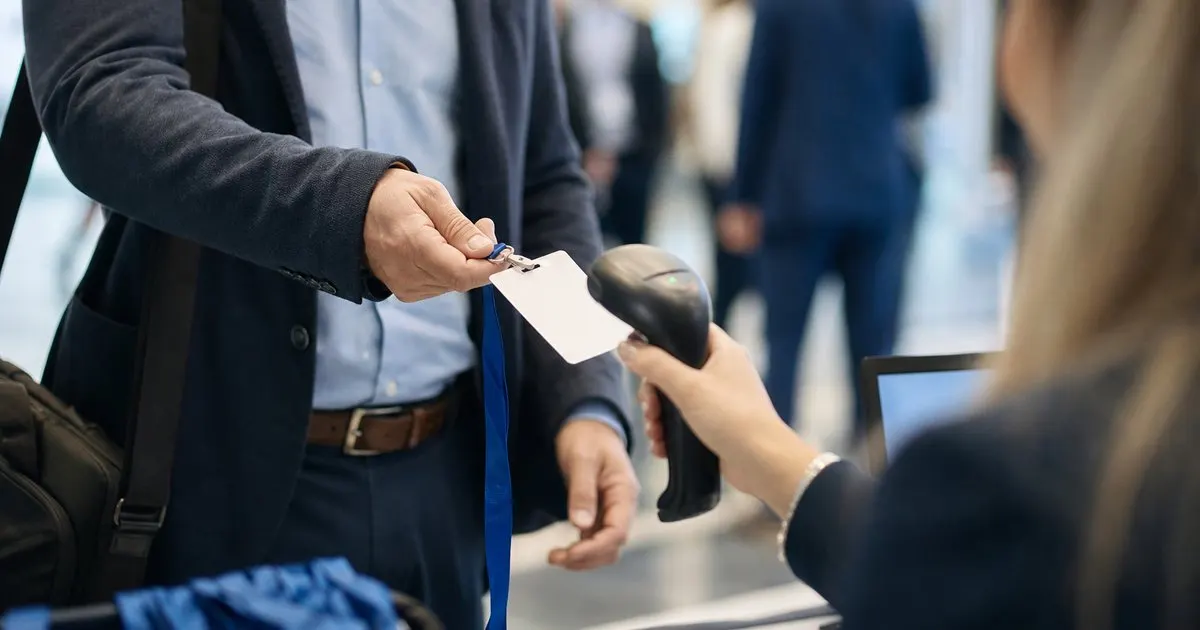
What each technology actually does at the door
A one-dimensional barcode encodes a short string, usually a registration ID, in vertical bars. It needs a laser or camera scanner aimed at roughly the right angle, prints cleanly on almost any badge stock, and has been the default at trade shows for decades. A QR code encodes the same ID (or much more) in a square pattern that any phone or tablet camera can read from several inches away, at nearly any angle, even when the badge is slightly crumpled. NFC uses a tiny chip and antenna embedded in the badge; a reader powers the chip wirelessly when it comes within an inch or two, and no line of sight is needed.
The practical differences show up in the first busy hour. Barcodes are fast with dedicated scanners but fussy with phone cameras, especially under glare from lobby windows. QR codes are forgiving with cameras and print at no extra cost, but a tablet camera still needs a moment to focus on each one. NFC taps are the fastest and most consistent per attendee, but every badge needs a chip, which adds per-unit cost and rules out printing spares on a plain desktop printer at the desk. Related: How can event organizers speed up the check-in line during the busy first hour of a conference?
Keep reading: How can event organizers speed up the check-in line during the busy first hour of a conference?, What are the benefits of printing event badges on site instead of pre printing them all in advance?, How do organizers track session capacity so a popular conference talk does not become overcrowded?. See how BadgeCheckr helps you event attendee badge check-in and scanning.
Cost and logistics for a few hundred to a few thousand attendees
For most conferences in this size range, QR codes win on cost because they are just ink. They can be printed on demand for walk-ups, reprinted in seconds for lost badges, and emailed to attendees ahead of time so people can show a phone screen at the door. Barcodes share that advantage but give up the camera flexibility, so you end up buying or renting dedicated scanners to get the same speed. Related: How should an event handle walk-up attendees who never registered before arriving at the door?
NFC makes sense when the badge is doing more than getting people through the door: session access control, exhibitor lead capture with a tap, cashless payments at the bar, or a hotel-style room key. Expect to order chipped badges in advance from a specialty supplier, budget for reader hardware at every touchpoint, and keep a fallback (typically a printed QR on the same badge) for the moment a chip fails or a reader dies. Many organizers combine the two: a QR for check-in and a chip for the premium interactions. Related: What are the benefits of printing event badges on site instead of pre printing them all in advance?
Failure modes you should plan around
Every technology fails in its own way. Barcodes smudge and fade when printed on cheap thermal stock, and a scratched laminate can make a laser scanner refuse the badge. QR codes fail when printed too small, when the quiet zone around them is crowded by design elements, or when the badge sits behind a glossy plastic holder that reflects overhead lights straight into the camera. NFC chips fail silently: the badge looks perfect but the reader hears nothing, and there is no way for a volunteer to type in what the chip contained.
The fix in every case is redundancy on the badge itself. Print the registration ID as human-readable digits under any code, so a volunteer can type it. Print a QR even on chipped badges. Test your actual badge design with your actual scanners under the actual lighting of the venue, or at least next to a bright window, a week before the event rather than the morning of.
A decision shortcut for organizers
If your check-in team is scanning with tablets or phones, choose QR codes and do not overthink it; they read reliably from paper, from a phone screen, and from a badge that spent the night in a tote bag. If you already own or are renting laser scanners and your registration system prints one-dimensional barcodes cleanly, keep barcodes for the door but add a QR for anything a phone will read later, like session scanning by room monitors. Related: How do organizers track session capacity so a popular conference talk does not become overcrowded?
Choose NFC only when a specific interaction needs it and the budget covers chipped badges plus readers at every point where the tap happens. A conference that only needs to know who arrived and which sessions they entered rarely needs chips. A festival that wants tap-to-pay at fifty vendor tents almost certainly does. Match the technology to the most demanding interaction, not to the check-in desk alone.
- QR codes are the default for camera-based check-in on tablets and phones because they print for free and read at almost any angle.
- Barcodes still work well with dedicated laser scanners but are frustrating with cameras under lobby glare.
- NFC gives the fastest taps but requires chipped badges and readers at every touchpoint, so reserve it for access control or payments.
- Always print a human-readable ID under any code so a volunteer can type it when scanning fails.

Julien Jimenez
Julien Jimenez is an independent software builder based in Paris. He designs, ships, and operates focused SaaS products for small businesses and independent professionals. Read the full author page.
A check-in line that moves
Event attendee badge check-in and scanning. BadgeCheckr is built to help you put this into practice.
Set up check-inMore from the BadgeCheckr blog


Get the BadgeCheckr playbook
Practical guides on event check-in, straight to your inbox as we publish them. No spam, unsubscribe any time.